TernaryCode
One window for your projects and AI coding agents
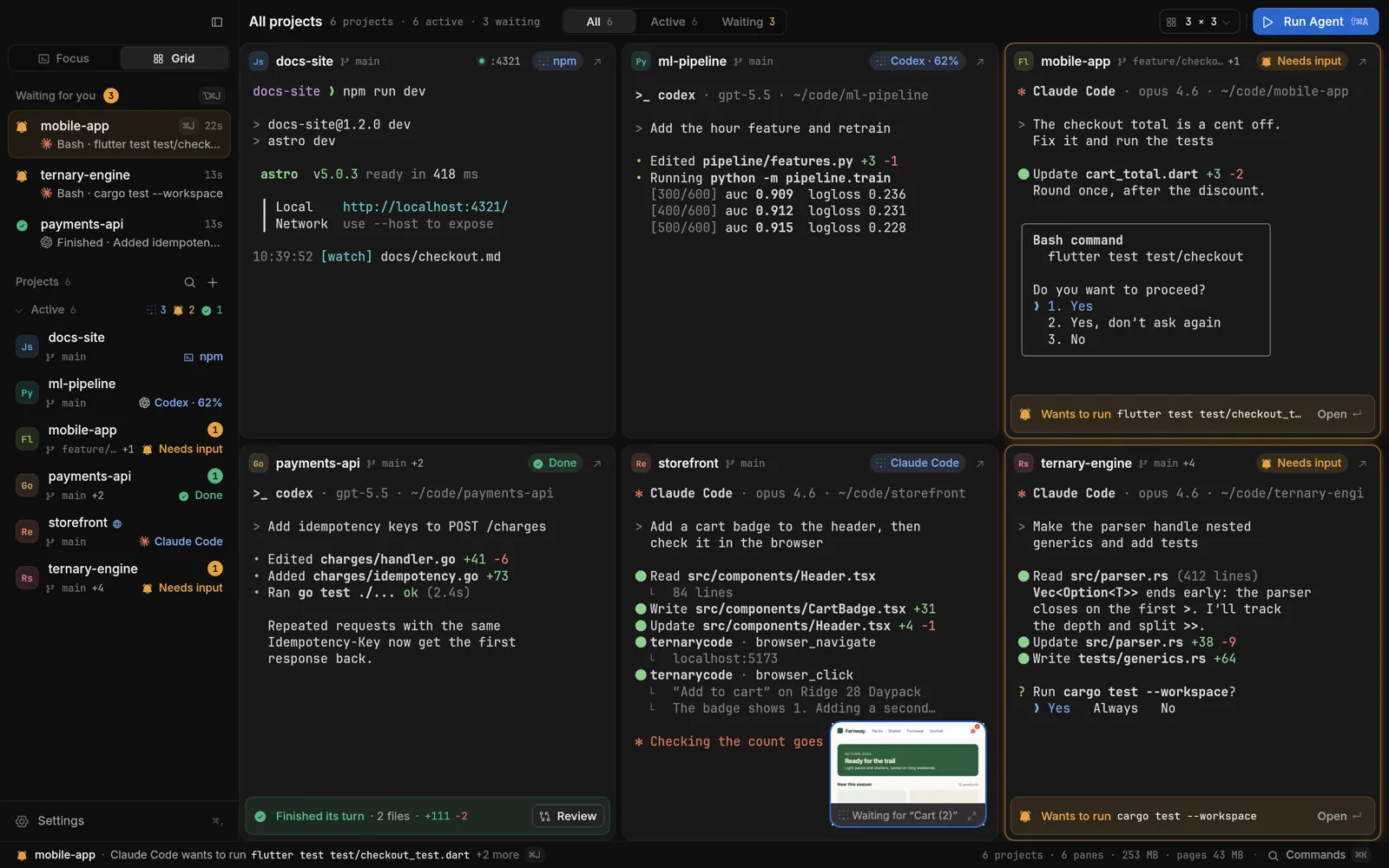
Running several AI coding agents in several projects usually means several windows and no idea which agent is waiting for you. TernaryCode puts every project in one window, each with its own terminals, tabs and splits. It is one small native app with no Electron: it opens in about 0.2 s, idles at 0% CPU, and ten panes take around 70 MB.
- Know which agent needs you: Needs input, Running, Done and Failed come from the agents’ own hooks, never a guess, and one shortcut jumps to the most urgent one.
- Every project in one window, plus a Grid that shows them all live.
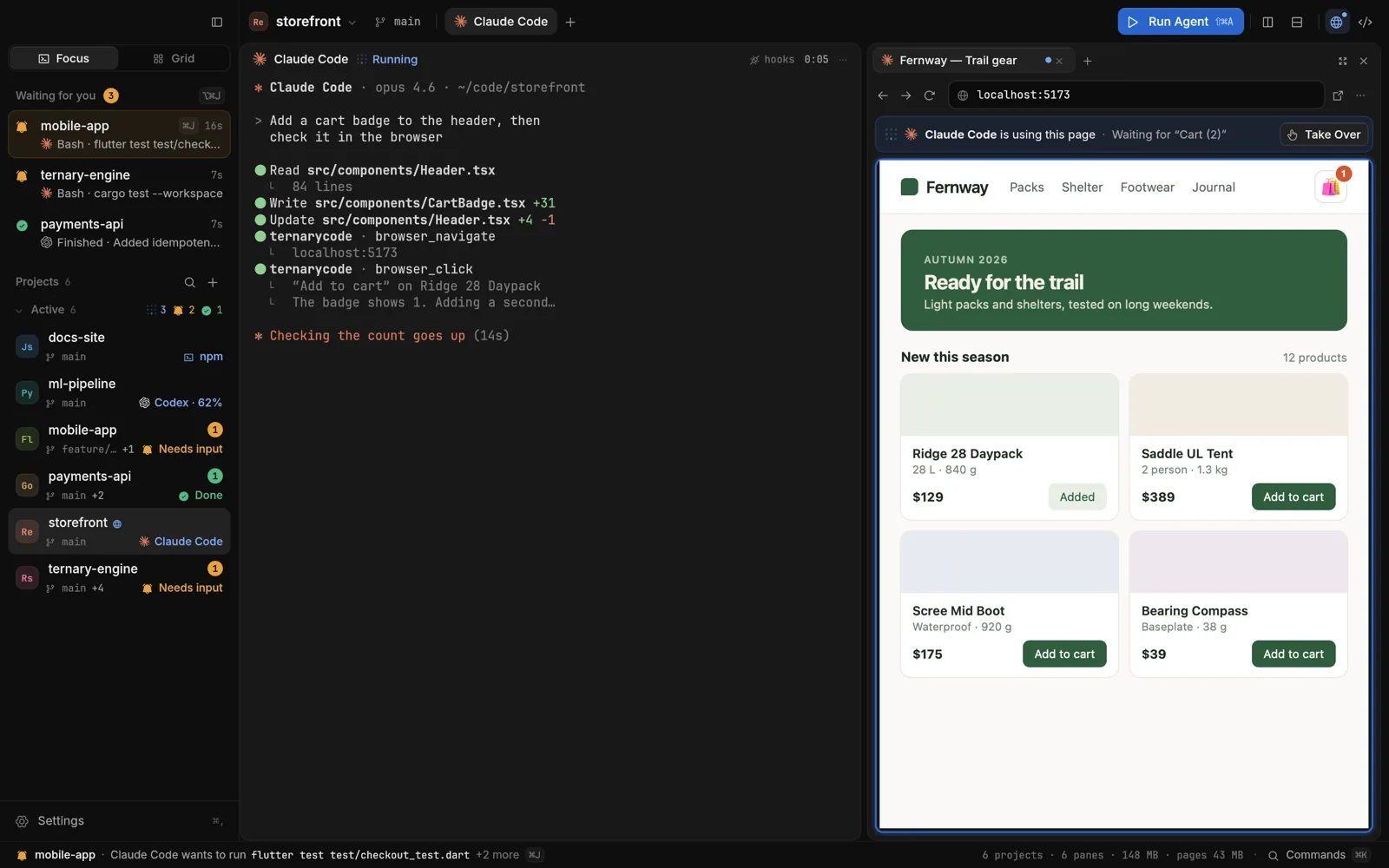
- A browser your agents can use: an agent opens your dev server beside its terminal, clicks through it and reads the console while you watch, and you can take over at any time.
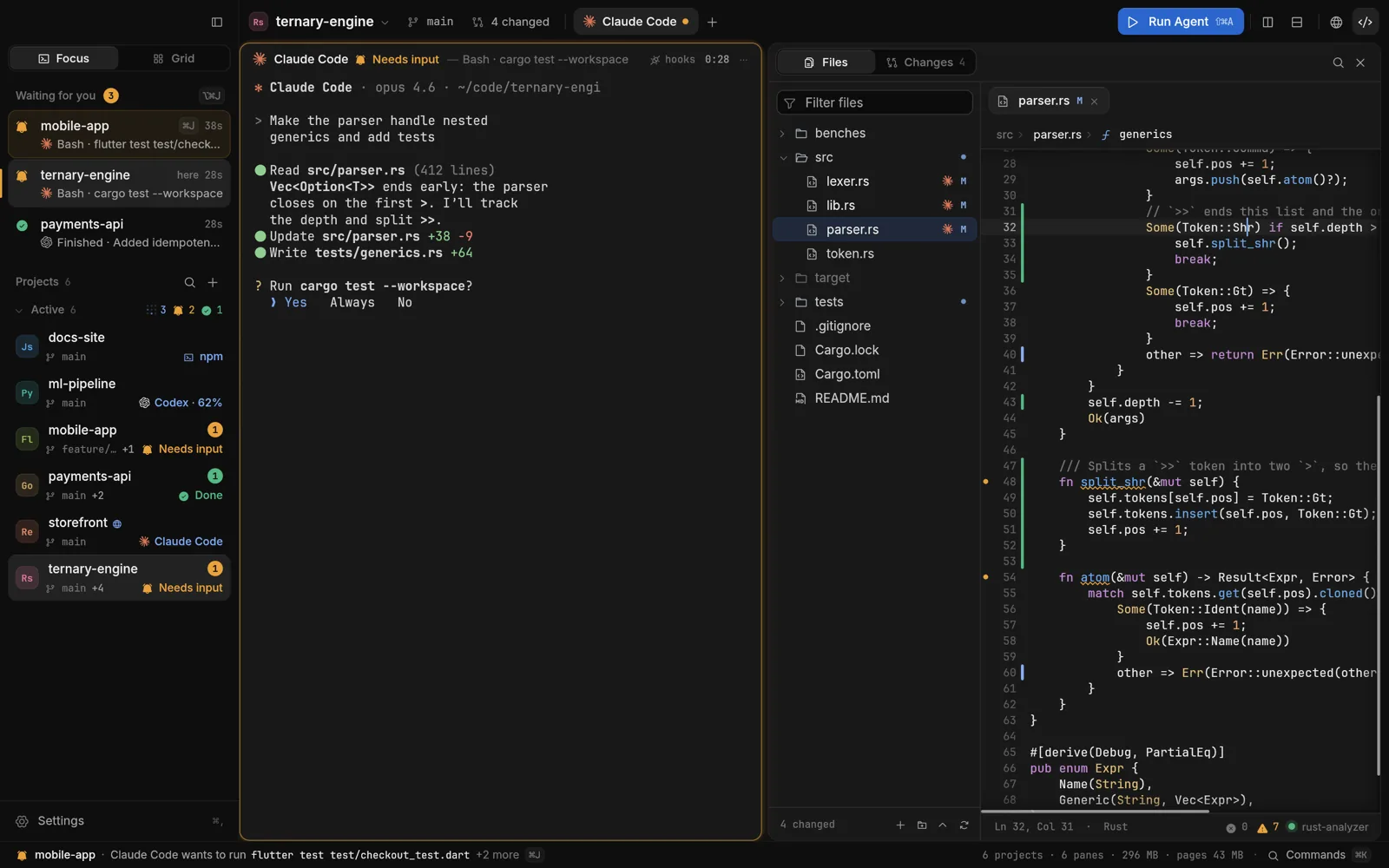
- Code beside the agent: the files it changed, the lines it touched, and your language servers.
- Review what an agent changed, and give each agent a git worktree of its own.
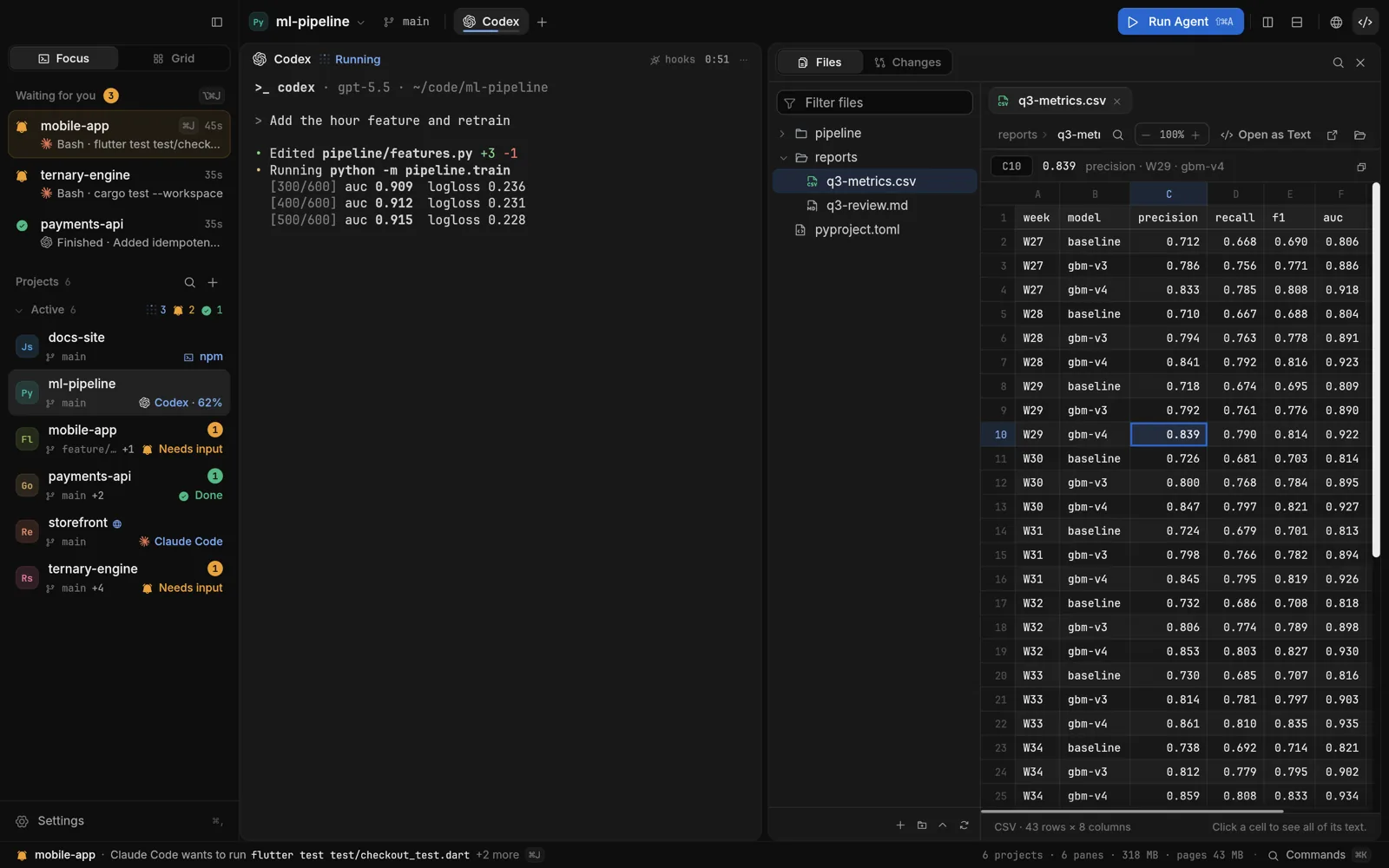
- Documents in place: PDF, Word, PowerPoint, Excel, CSV and images.
- Runs on macOS, Windows and Linux, with no account and no telemetry.
Screenshots